
How to Use Video Calls to Stay Connected With Family
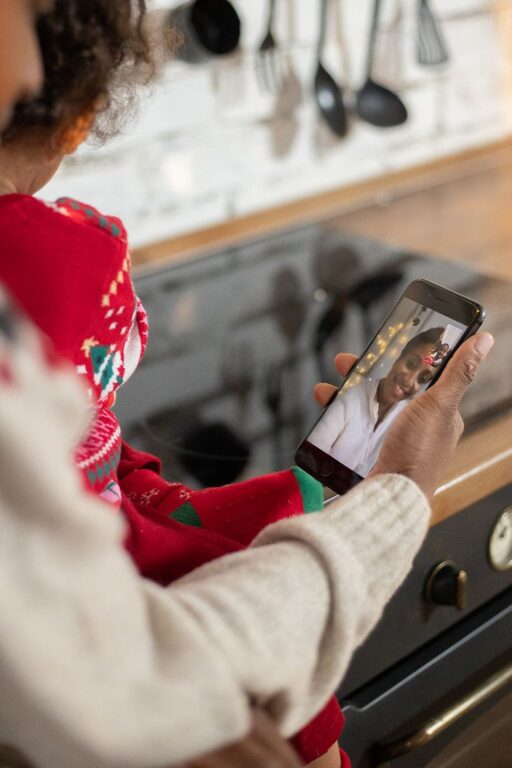
Video calls make it easier to stay close to family members who live far away or have busy schedules. With a phone, tablet, or computer, you can share conversations, celebrations, meals, and everyday moments without traveling.
A successful video call does not need to be complicated. A little planning can help everyone feel comfortable, included, and ready to enjoy the time together.
Choose the Right Video Call App
Many services allow people to make video calls, including apps built into smartphones and popular meeting platforms. The best option is usually the one your family members already know how to use.
When choosing an app, consider:
– Whether it works on everyone’s devices
– How easy it is to join a call
– Whether the call can include the whole family
– Whether it allows group conversations
– Whether it offers useful features such as screen sharing or captions
– Whether participants need to create an account
Try to use the same app for regular family calls. A consistent choice makes it easier for everyone to remember how to join and reduces last-minute confusion.
If someone is unfamiliar with the app, schedule a short practice call. Show them how to open the invitation, turn the camera and microphone on or off, and leave the call.
Set a Regular Time
A regular schedule can turn video calls into a comfortable family tradition. Instead of waiting for everyone to be free, choose a time that works for most participants.
You might plan:
– A weekly evening call
– A weekend morning conversation
– A monthly family gathering
– Short calls on birthdays or holidays
– Quick check-ins between longer conversations
Consider time zones, work schedules, school activities, and different household routines. A shared calendar can help everyone remember the date and time.
It is also helpful to agree on how long the call will last. A planned end time makes the call easier to fit into a busy day. If the conversation is going well, participants can always arrange another call.
Prepare Before the Call
A few simple preparations can make a noticeable difference. Check your device, internet connection, and surroundings before the call begins.
Use this quick checklist:
- Charge your phone, tablet, or computer.
- Test the camera and microphone.
- Place the device on a stable surface.
- Choose a quiet, well-lit location.
- Close unrelated apps and notifications.
- Keep headphones nearby if there is background noise.
- Have any items you want to show within reach.
Good lighting helps others see your face clearly. Face a window or place a lamp in front of you rather than behind you. Position the camera near eye level so the conversation feels more natural.
If possible, use a steady internet connection. Moving closer to your router or reducing other internet activity may help if the video keeps freezing.
Make Everyone Feel Included
Group calls can become difficult when several people speak at once. Some family members may also be less comfortable with technology or may need more time to join the conversation.
At the beginning of the call, greet each person by name. This helps everyone feel noticed, especially when several faces appear on the screen.
To include the whole group:
– Ask each person a simple question.
– Pause occasionally so others can speak.
– Invite quieter family members to share.
– Avoid having several side conversations at once.
– Explain what is happening if someone seems confused.
– Repeat important comments if the connection breaks up.
– Give people time to adjust their camera or microphone.
If one person is hosting the call, they can help guide the conversation. The host might welcome everyone, introduce a topic, and make sure no one is accidentally left out.
Plan More Than Just Conversation
A video call can be more enjoyable when it includes a shared activity. You do not need elaborate equipment or complicated plans. Choose something that people of different ages can enjoy together.
Here are a few ideas:
Share a Meal
Arrange a family breakfast, lunch, or dinner. Everyone can prepare their own food and eat together while chatting. You can also share recipes or compare what is on each person’s plate.
Play a Simple Game
Choose a game that works well over video. Trivia, drawing games, word games, and guessing games are often easy to organize. For young children, simple activities such as “show and tell” can keep the call engaging.
Read Together
A family member can read a short story, poem, or chapter aloud. This can be a pleasant way to spend time with children or to share a favorite book across different households.
Give a Tour
Show relatives a garden, a new room, a hobby project, or a favorite view. A short tour gives everyone something specific to discuss.
Celebrate Special Events
Use video calls for birthdays, graduations, anniversaries, and holiday gatherings. Family members can sing, open gifts, decorate together, or share a toast with their own favorite drink.
Help Children Stay Engaged
Children may enjoy video calls but have shorter attention spans than adults. Keep calls with younger children focused and active.
Try preparing two or three activities rather than expecting children to sit still for a long conversation. You could ask them to show a favorite toy, draw a picture, demonstrate a skill, or answer a fun question.
Keep the call flexible. Children may move around, become distracted, or need a break. A shorter, enjoyable call is often better than a long call that becomes frustrating.
Family members can also send photos, drawings, or short messages between calls. These small exchanges help maintain a sense of connection throughout the week.
Be Patient With Technical Problems
Audio delays, frozen screens, and dropped calls can happen even when everyone is prepared. Treat these issues as normal parts of using technology.
If the connection becomes difficult, try the following:
– Turn the camera off temporarily to reduce data use.
– Mute microphones when someone is not speaking.
– Move closer to the internet router.
– Close other apps or browser tabs.
– Leave and rejoin the call.
– Restart the device.
– Switch to a regular phone call if video is not working.
Explain changes clearly so everyone knows what to do. For example, you might say, “Let’s turn off our cameras for a moment and see if the audio improves.”
Respect Privacy and Comfort
Not everyone wants to be on camera all the time. Some people may prefer to participate with audio only, while others may need to move to a quieter room during the call.
Ask before recording, taking screenshots, or sharing images from the conversation. If children are involved, check with their parent or guardian before saving or posting anything.
It is also useful to choose a comfortable setting. Participants should not feel pressured to show their entire home or remain on camera for the full call.
Turn Calls Into a Family Habit
The most meaningful video calls are usually the ones that happen consistently. They do not have to be perfect or lengthy. A brief conversation can still provide an important sense of closeness.
Create simple traditions, such as sharing a weekly highlight, telling a funny story, showing a seasonal decoration, or ending each call with plans for the next one.
Over time, these routines give family members something to look forward to. Video calls cannot replace every in-person visit, but they can make distance feel more manageable and help families share everyday life, wherever they are.
Related Post

How to Create a Digital Family Recipe Book
Preserve favorite family recipes in one organized, shareable digital cookbook with this simple step-by-step guide. [...]